Launch
Create subscription offers that shoppers understand quickly.
Sell subscriptions in Shopify, give customers control, recover payments, automate repeat work, and understand what is growing.

PayWhirl keeps the work clear from the first offer to every repeat order after it.
Create subscription offers that shoppers understand quickly.
Give subscribers a simple place to make changes.
Retry failed payments and reduce avoidable churn.
Use workflows and integrations to remove repeat tasks.
Track revenue, retention, products, and customer value.
Add recurring, prepaid, manual, custom-interval, gift, and subscribe-and-save options that still feel like Shopify.
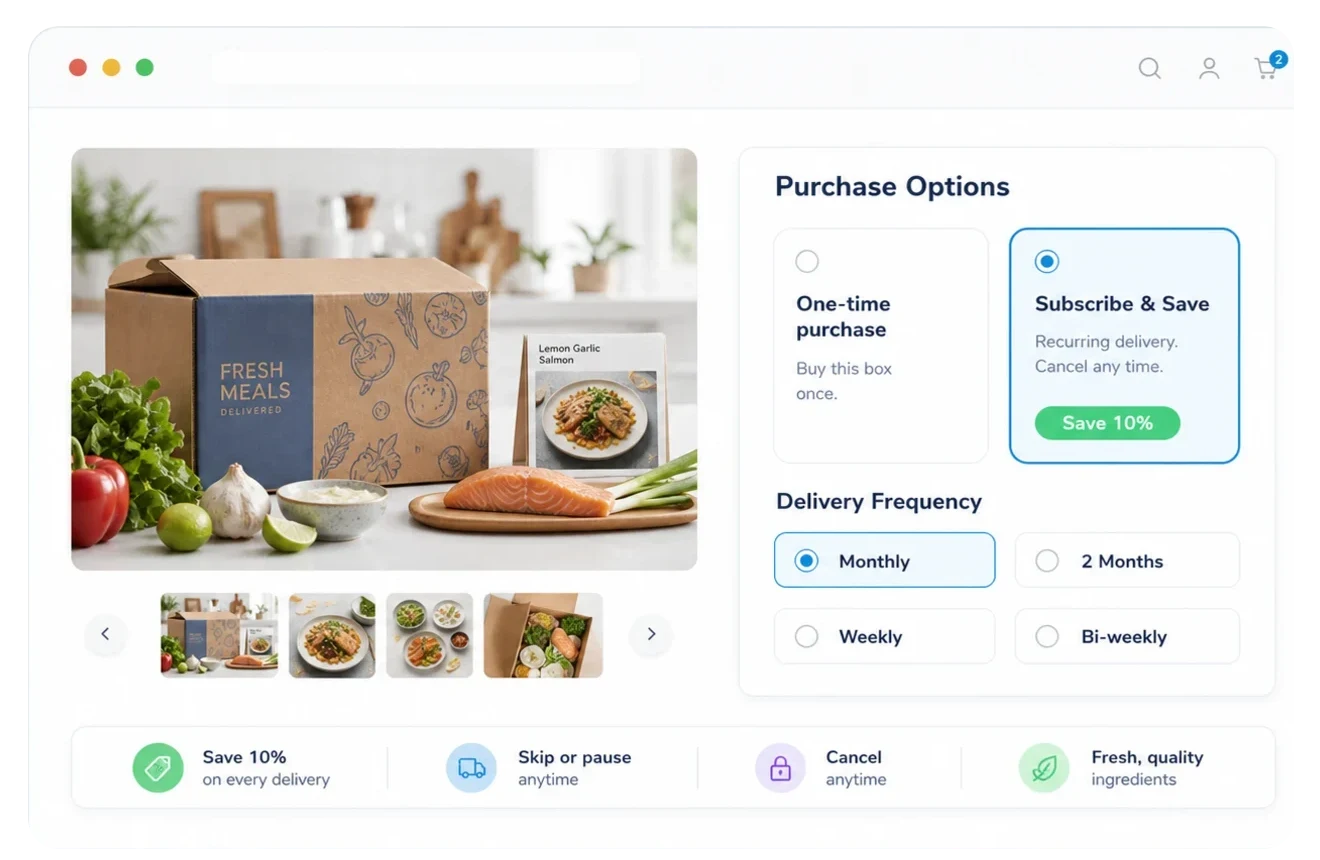
Show subscription options on your product pages and through Shopify checkout.
Let customers buy subscriptions and one-time items in the same order.
Charge upfront or set schedules that match how you deliver.
Create subscription orders when your team needs more control.
Customers can manage common subscription changes before they become support tickets.
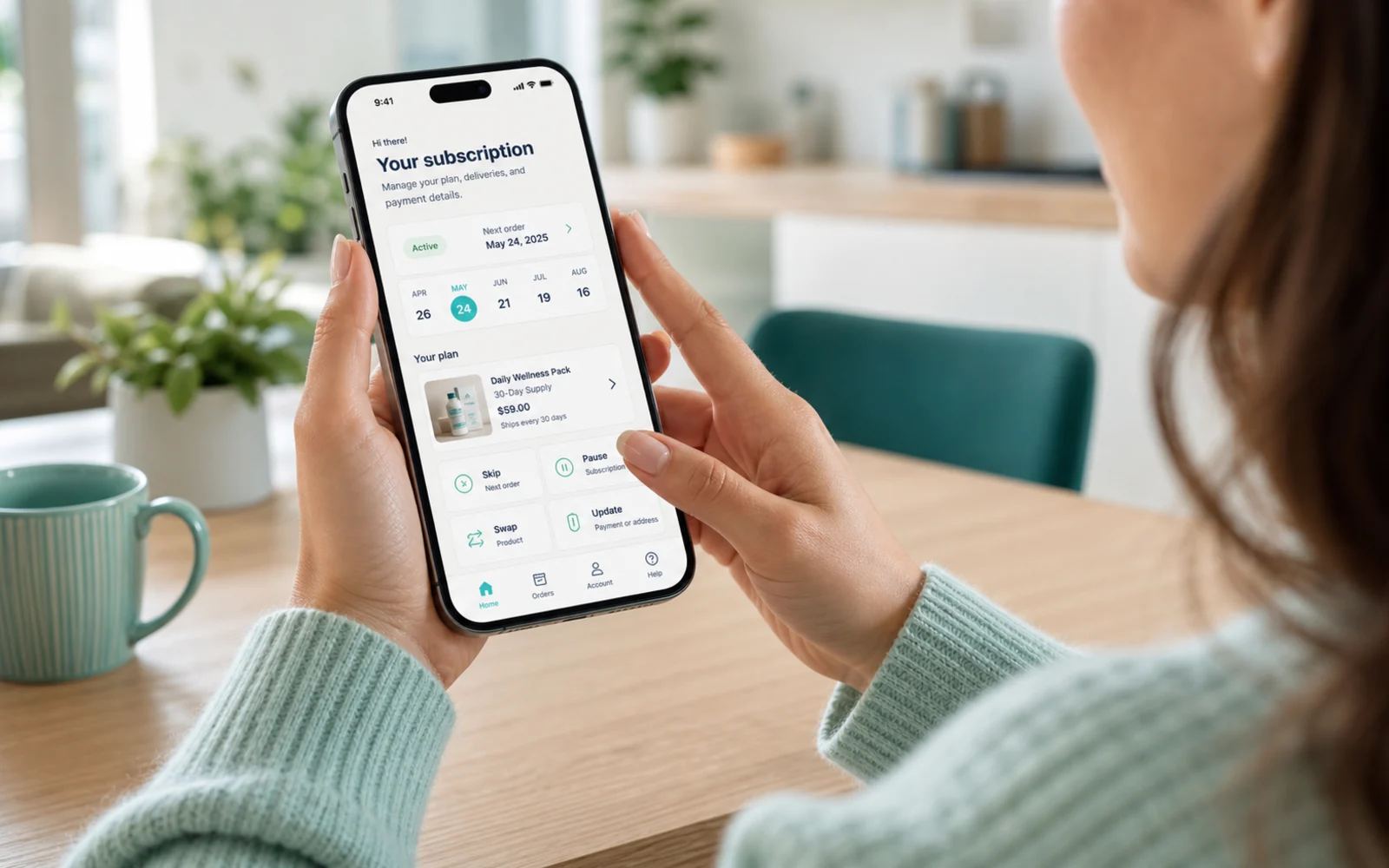
Help subscribers get in without another password reset.
Give customers a clean place to manage plans from any device.
Let customers handle the changes that usually become tickets.
Make it easier to adjust subscriptions and add more to each order.
Recover payments, send notifications, update addresses, manage inventory, and handle subscriptions in bulk.
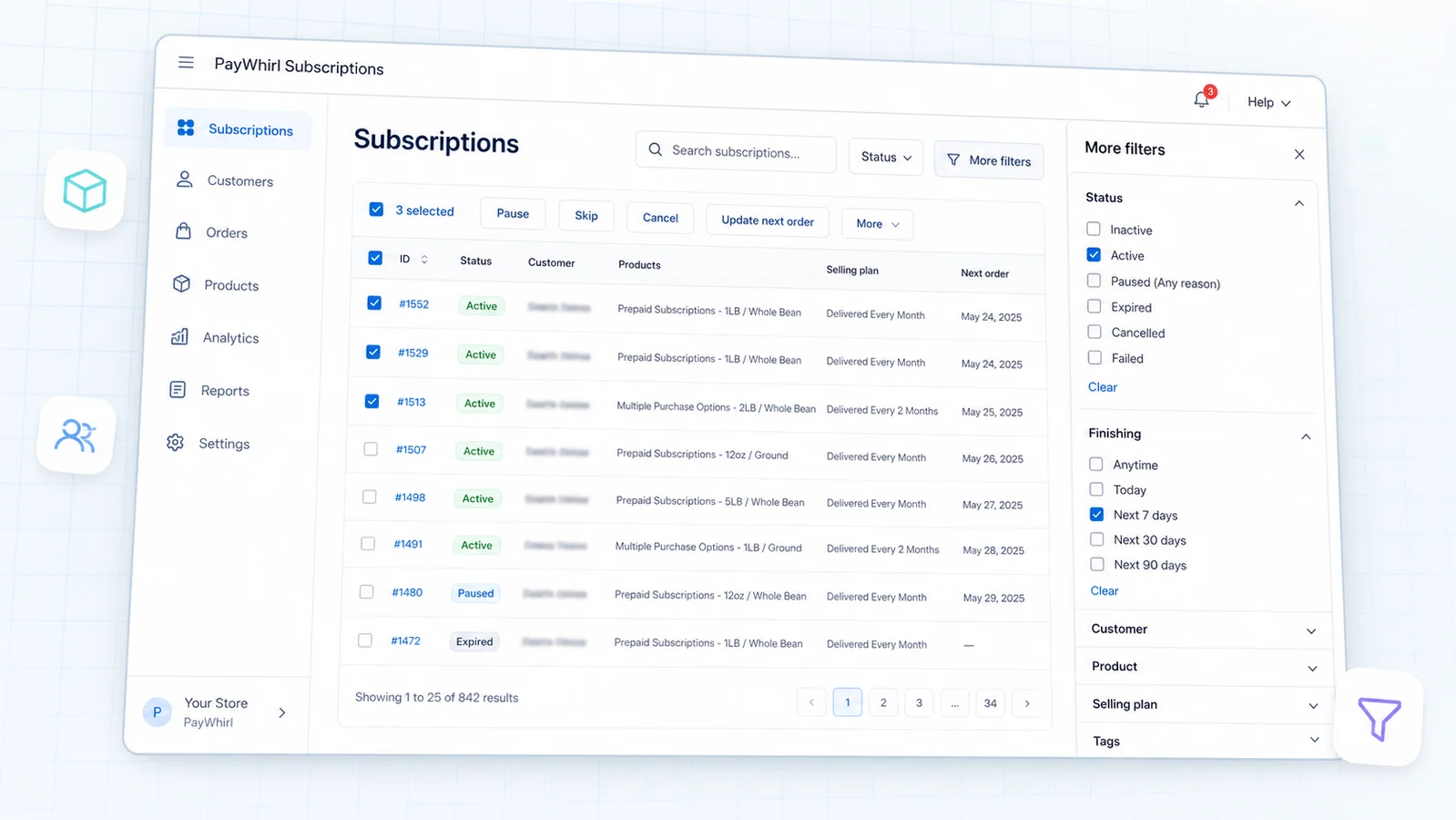
Recover failed payments without chasing every customer by hand.
Keep subscribers informed at the moments that matter.
Make subscription emails feel like they came from your brand.
Update many subscriptions without repeating the same edit.
Keep recurring orders connected to stock and fulfillment.
Reduce delivery issues when subscribers move or update their details.
React to subscription events with tags, gifts, product swaps, removals, discounts, and failed-payment actions.
Track subscribers, revenue, payment schedules, cohorts, churn, product performance, and projected customer value.
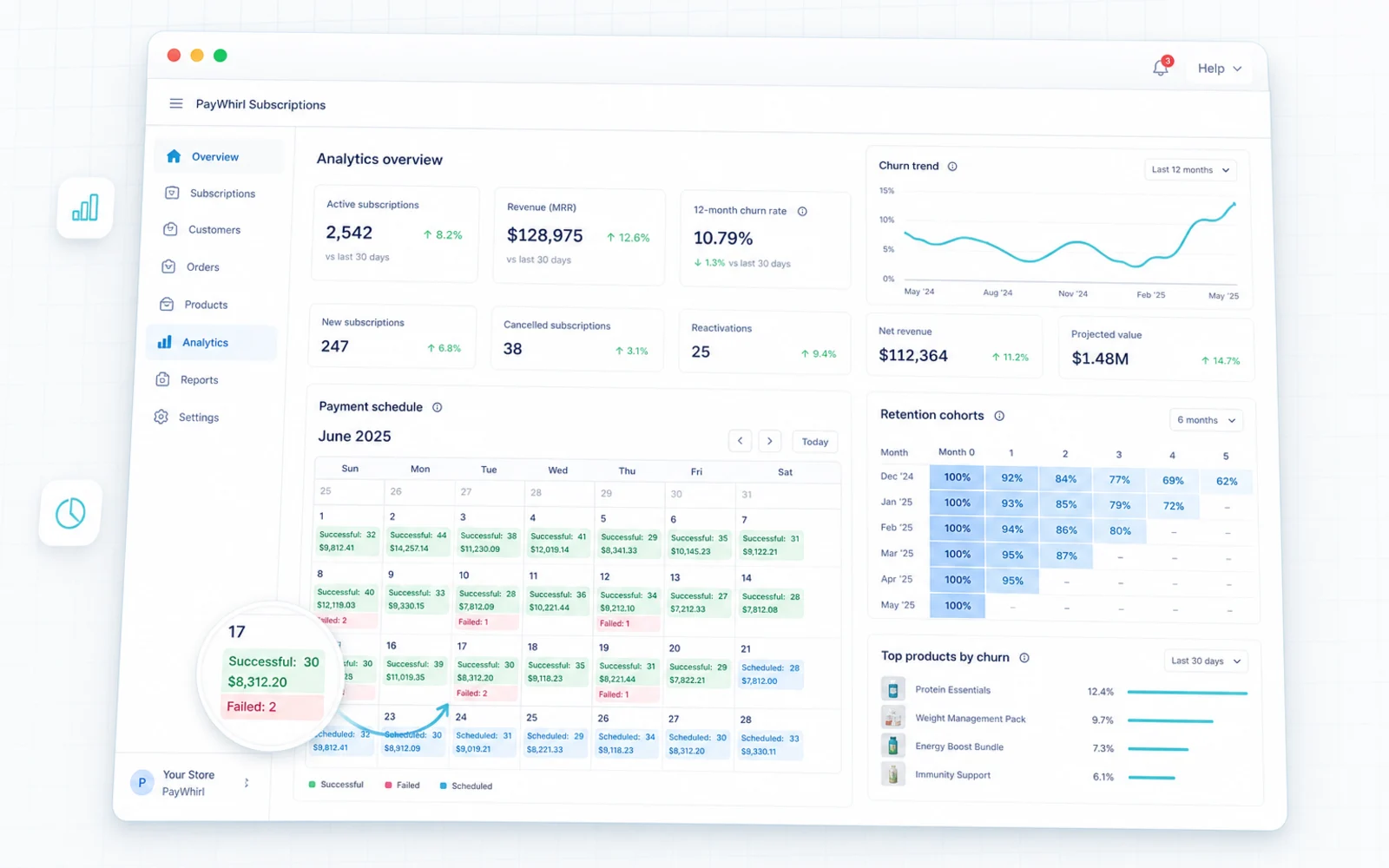
See active, paused, canceled, and growing subscriptions quickly.
Know what is billing soon so your team can plan ahead.
Track recurring revenue without digging through reports.
Watch how subscriber groups behave over time.
Spot cancellation patterns and the products driving growth.
Understand which subscribers and products can drive long-term revenue.
Use integrations, Klaviyo, APIs, webhooks, Liquid, CSS, and migration support when your subscription program needs more control.









Use subscription events to send better lifecycle messaging.
Build deeper workflows when your subscription program needs them.
Send subscription events to the systems your team already uses.
Shape the subscriber experience so it fits your storefront.
Move to PayWhirl with people nearby for the important details.
Keep subscriptions connected to the tools your store depends on.

Customers can pause, skip, cancel, reschedule, update payment, update addresses, swap products, upgrade, add one-time products, and manage gifts when you allow it.
Yes. PayWhirl uses Shopify selling plans and works with Shopify checkout, so customers can buy subscription and one-time products through the Shopify flow.
Yes. Customers can combine recurring products and one-time products in the same Shopify checkout, which keeps the buying experience familiar.
Yes. PayWhirl supports recurring, prepaid, anchored, custom-frequency, manual, and subscribe-and-save selling plans so offers can match how you sell and deliver.
Yes. When enabled, customers can edit, skip, pause, cancel, reschedule, update payment methods, update shipping addresses, swap products, add one-time products, and adjust subscription details.
PayWhirl workflows can trigger on subscription events such as created, paused, resumed, canceled, expired, failed payment, and successful payment. Actions can include tags, gifts, product swaps, removals, discounts, and failed-payment actions.
PayWhirl includes payment retries, dunning tools, failed-payment notifications, and recovery actions so your team can reduce avoidable churn without chasing every customer manually.
Yes. PayWhirl includes 20+ subscription email notifications, editable templates on paid plans, and storefront widget customization so the subscriber experience can still feel like your brand.
PayWhirl tracks subscription status, payment schedules, revenue KPIs, retention cohorts, churn, product performance, and projected customer value, with advanced analytics available on higher plans.
Yes. PayWhirl is built for Shopify and works with Shopify checkout, orders, product pages, shipping rates, delivery rules, taxes, reports, and customer accounts.
Yes. Developer-friendly plans include API access, real-time webhooks, Liquid and CSS customization, and integration options for deeper subscription workflows.
PayWhirl connects with Shopify-focused tools including Klaviyo, PageFly, Glow Loyalty, Upsell Wizard, referral and shipping apps, webhooks, APIs, and other supported integrations.
Yes. PayWhirl supports migration and import paths for active subscriptions and customer payment methods from supported providers and apps, and does not charge a separate fee for migration help.
PayWhirl offers US-based support by chat, email, and phone, with priority support options on higher plans plus Shopify-specific docs and tutorials.